

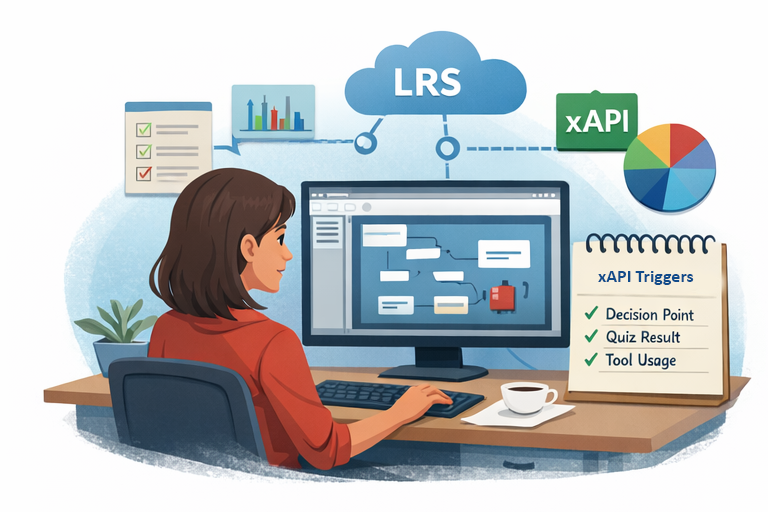
Articulate Storyline and Rise make it easy to publish xAPI content, but “easy to publish” does not always translate into “easy to analyze.” Out of the box, many teams end up with the same problem: they can see lesson or course completions, but they can’t answer deeper questions like:
- Which required reading resource links are learners clicking the least?
- Which scenario objectives were failed later in the module?
- Which lessons(s) or section(s) were abandoned the most and which page did they leave from?
- What misconceptions or patterns show up in the learner’s responses?
- What are the average question response success rates by question type?
The good news: you don’t need to completely rebuild your content. With some strategic planning (and a few targeted custom statements), you can use Storyline xAPI data to produce the reports and analytics to answer these types of questions and more.
Start with the end in mind: what improvements or outcomes do you need the data to support?
Before you add a single custom statement, write down the desired outcomes and reporting requirements. Here are some examples:
- Improve content effectiveness: identify the content sections and interactions related to where learners are performing poorly on their quiz responses.
- Improve assessment quality: find the top 10 most-missed questions and the distractors people choose.
- Improve behavior/performance: see which job aids people return to after training and whether behaviors are changing or performance is improving as a result.
When you know the desired outcomes, then you’ll be able to better define the reporting requirements, which will help you to identify what to measure with xAPI.
Use a consistent xAPI object taxonomy (so your dashboards don’t become a mess)
Most reporting pain points come from using inconsistent object identifiers (IDs) and not defining an ID scheme or taxonomy. A simple taxonomy can be extremely helpful. For example:
- Course (top level): one unique object.id for the whole course
- Lesson/section: object IDs for major sections or scenes
- Slide/screen: object IDs for key moments where you need visibility
- Interaction/question: cmi.interaction objects for question-level detail
Check out Veracity’s Storyline/Rise resources, which include guidance on common object taxonomies and what data these tools generate by default. Start there, then add only what you need.
Add custom xAPI triggers only where it matters
Custom xAPI is most valuable when it captures decision points. Examples that tend to pay off:
- Scenario branch choice (which option did they pick?)
- Key decision checkpoint (did they choose the correct process?)
- Tool usage simulation step (did they complete a critical step?)
- Confidence check (self-reported confidence before/after)
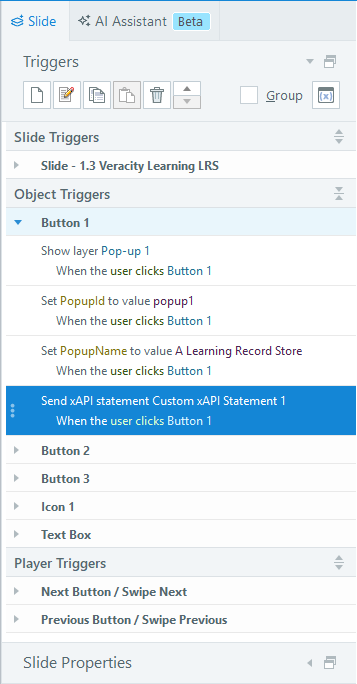
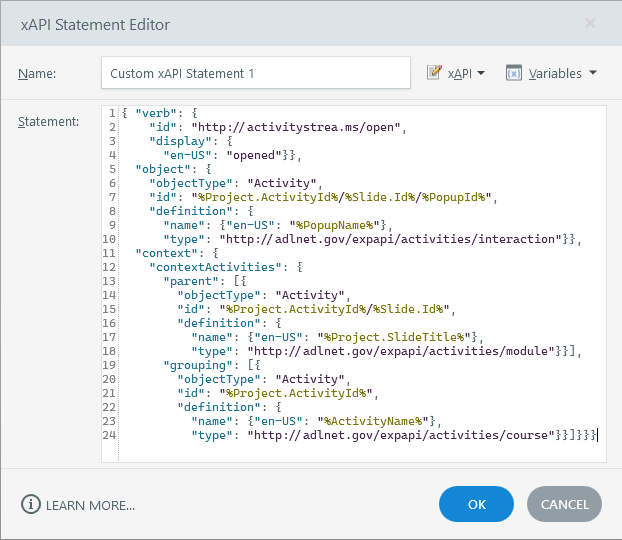
A common approach is to use Storyline triggers when something meaningful happens, then send a custom xAPI statement to the LRS. Keep the statement readable: use unique IDs for the Object, a clear Verb, and include the learning outcome data in Result and other custom outcome data in Result Extensions.
Quality checklist: what “good xAPI data” looks like
- Unique IDs: object.id values don’t change between versions unless the thing truly changes.
- Clear verbs: your verbs align with what you want to report (e.g., viewed, accessed, completed, passed, answered, played, opened, searched).
- Attempt tracking: context.registration should be used to identify statements that are part of the same attempt.
- Outcomes in the right place: store scores,success, and completion data in Result
- Define the parent and child relationships of your content in context.contextActivities.
- Minimal but meaningful extensions: use extensions only when the data doesn’t fit elsewhere, and document them.
For more best practices on creating quality xAPI Statements, check out this article published for the Learning Guild. Also, you can reference Torrance Learning's Concept Viewer resource for a list of concepts you can reuse for your xAPI Statements.
Test before you publish to production
Before you deploy a course into production, run a quick xAPI statement QA test. Follow the steps below.
1. Launch the content and complete the key interactions. Need a place to upload and test your content? Try Veracity Launch for free.
2. Open the statement viewer in your LRS and confirm the fields you expect exist. Need a place to store your xAPI data for this QA test? Try Veracity Learning for free.
3. Validate that your question/interaction statements link back to the course or quiz via parent relationships.
4. Build one simple chart as a proof of usefulness (e.g., completions by course, top missed questions, drop-off by section).
Further Reading / Resources