
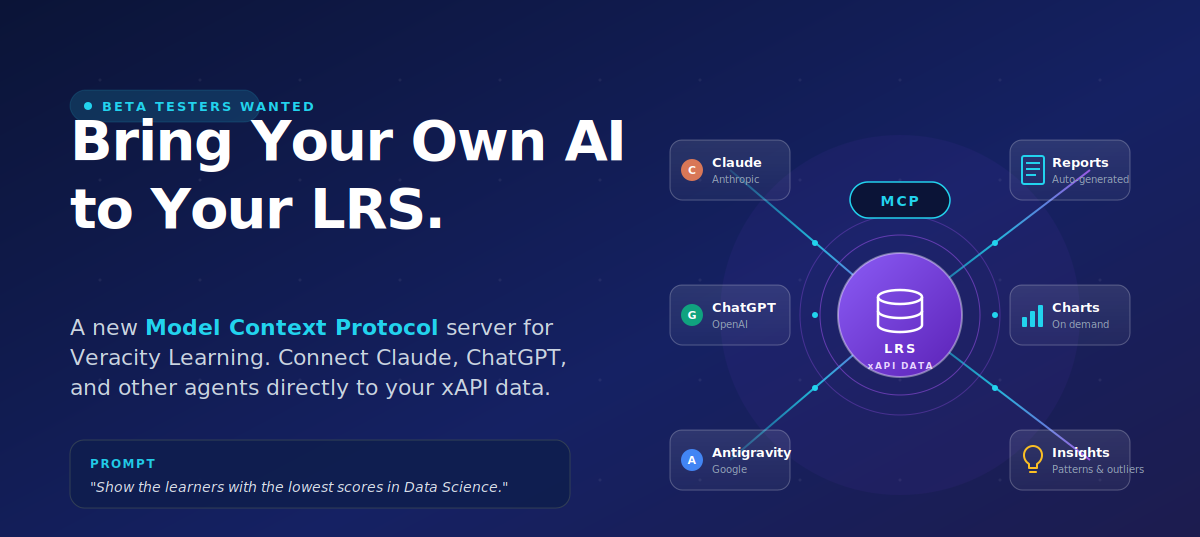
We're excited to announce a new capability in Veracity Learning that supports the Context Protocol (MCP), the open standard that lets AI agents like Claude (Anthropic), ChatGPT Codex (OpenAI), and Antigravity (Google) connect securely to your xAPI data and work with it directly.
And we want your help shaping it before it ships to customers.
What Is the Veracity MCP Server?
MCP is the emerging open standard for connecting large language models to real systems and real data. Think of it as the “USB-C port” between an AI agent and your tools. Once an AI client is connected to the Veracity MCP server, it can read your xAPI statements, run queries, and return answers, charts, and reports based on what's actually in your LRS.
In practice, that means you can stop struggling with query syntax and simply ask questions like:
“What percentage of unique learners registered in the last 30 days played 100% of the video in the ‘Programming Languages’ course?”
“Which one learner has the lowest score across all tests in the ‘Data Science’ course?”
“Show me a chart of completion rates by course for Q1, then flag any outliers.”
Why This Matters
Many teams already trust their LRS to capture rich xAPI data. The hard part has always been turning that data into answers and visualizations quickly. The MCP server changes the workflow:
- Query your LRS in plain language through the AI tool you already use.
- Generate reports, charts, graphs, and dashboards in seconds instead of hours.
- Surface outliers and patterns automatically, without writing a single query.
- Use your favorite AI tool(s). Use Claude Desktop, ChatGPT, or any MCP-capable client.
This is a force multiplier for instructional designers, learning engineers, analysts, and program owners who want answers from their xAPI data without becoming full-time data engineers.
Who Should Beta Test
We're looking for hands-on testers who fit one (or both) of these profiles:
- Current Veracity Learning users who already work with xAPI data in their LRS and want to push it harder with AI.
- xAPI practitioners and learning data folks who don't yet use Veracity Learning but want experience pairing an LRS with MCP-enabled AI tools.
You do need real xAPI data (or a willingness to load some) and a willingness to share honest feedback.
When
Beta is open now. We'll run it through the coming weeks ahead of a broader customer release, and we want feedback on the MCP server while design decisions are still on the table.
Where
The MCP server can be configured in the LRS and works with any MCP-compatible AI client, such as Claude, ChatGPT, Antigravity, and the growing list of tools that support the standard. We'll walk approved beta testers through the configuration steps once you're in.
How to Join the Beta
If you'd like to try it out, contact us and type “MCP beta” in the subject line. We'll send you access details and the contacts to send feedback through.